
Waking the server…
It naps when nobody’s around. Give it a few seconds.
Waking the server…
It naps when nobody’s around. Give it a few seconds.
Case study
An anime tracking app for iOS and macOS that pulls data from AniList, manages your watch list with SwiftData, and caches everything locally for instant offline access. - Personal project not released
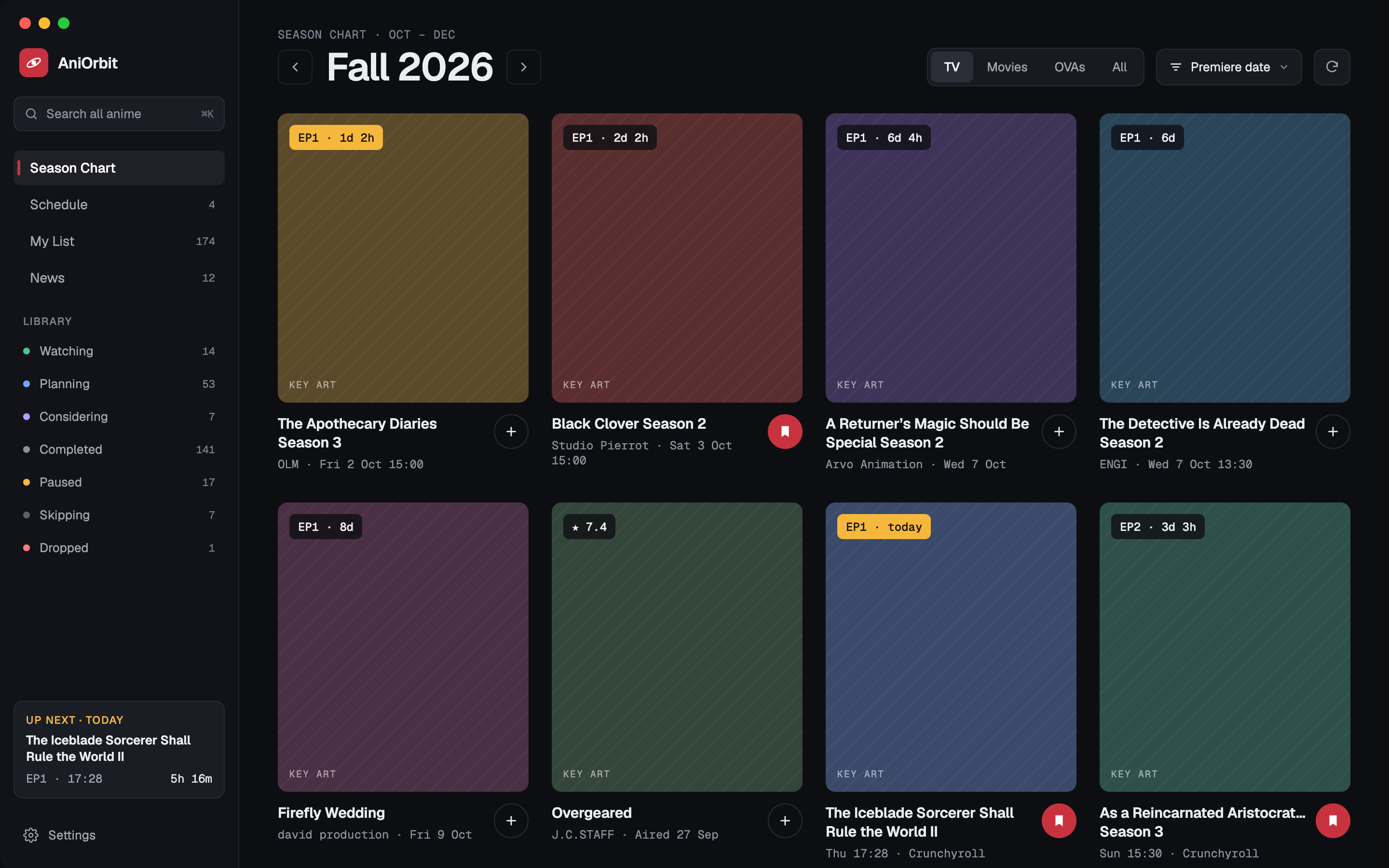
AniOrbit is an anime tracking app for iOS and macOS. It pulls anime data from the public AniList GraphQL API, lets you build and manage a personal watch list, and caches everything locally so the app opens instantly and works offline.
The app supports two platforms in one codebase: iOS (iPhone) and macOS. On Mac, the My List view is a table showing title, entries, next episode, and "watch on" links. On iPhone, it's status chips and compact rows. Seasons of a show are grouped under a single series key. The app uses SwiftData for local storage, AniList's GraphQL API for anime data, and a custom image pipeline for poster caching.
It's built around the idea that an anime tracker should be fast, offline-capable, and easy to use. No web views, no login walls, no bloat — just your list, your data, and everything cached locally.
Anime tracking apps are either too cluttered with social features or too bare to be useful. Most force you to log in, rely on web APIs that don't work offline, or present data in a way that's hard to scan quickly. When you're trying to check what episode you're on or when the next episode airs, you shouldn't need to wait for a network request.
How might we build an anime tracker that works instantly, offline, and without forcing you to create an account?
AniOrbit is built as a single Xcode project generated with XcodeGen (project.yml). The codebase is split into three main directories:
Model protocol for persistence.The app uses a shared folder (Shared/) for cross-platform code like deep-link helpers. Both iOS and macOS targets share the same Models and Services, with View-specific adaptations for each platform.
Next project
Aetherhub
Your tracked anime in one place. Mac: table view (title · entries · next episode · watch on). iPhone: status chips and compact rows. Seasons grouped under a single series key.
Full show details including title, format, episodes, duration, genres, studios, description, cover image, and airing schedule. Quick actions to add/remove from your list.
Visual breakdown of what's airing each season. Shows upcoming, current, and completed shows with episode counts and scores.
Related seasons are grouped under a single series key. Shows appear together in your list, making it easy to track sequels and spin-offs.
Get notified when new episodes air. Configurable per show, with snooze options.
Challenge
A two-tier caching system. On-disk storage uses SHA256-hashed filenames (no URL characters, predictable size) stored in Application Support. In-memory cache uses NSCache with a 32MB total cost limit and 24-image count limit. Images are downloaded on-demand and evicted from memory when the cache is full. This means the app opens instantly (cached images are loaded from disk), works offline (all data is local), and doesn't bloat storage (eviction keeps memory usage bounded).
Challenge
Shared Models and Services across both targets. Each platform has its own Views directory with platform-specific adaptations. The project.yml generates the Xcode project with shared sources (Shared/) and platform-specific sources (AniOrbit/). SwiftData models are shared; views are adapted per platform. This means the data layer is identical on both platforms, while the UI is native to each.
Challenge
On-disk caching of all API responses. When a rate limit is hit, the app falls back to cached data. The image pipeline uses reloadIgnoringLocalCacheData for fresh downloads but falls back to disk cache on failure. Error messages are displayed to the user ("AniList rate limit hit. Try again in a minute."). This means the app works even when the API is unavailable, and users can continue using their list without interruption.
Challenge
A SeasonGroup model that maps anchor IDs to selection IDs. The Library.applySeasonGroup() function groups selections under a shared series key (the minimum ID in the group). This means related shows appear together in your list, even if they come from different data sources. Conflicts are resolved by keeping the first entry and updating subsequent matche
2 Platforms
iOS (iPhone) and macOS
SwiftData storage
Local anime tracking with offline caching
AniList integration
GraphQL API client with rate limit handling
Season grouping
Related shows grouped under a single series key
Notifications
Configurable per show with snooze options
Model protocol is clean and type-safe, but requires careful handling of relationships, updates, and context saves.